
How to Check or Register a Tax Identification Number (TIN) in Malaysia
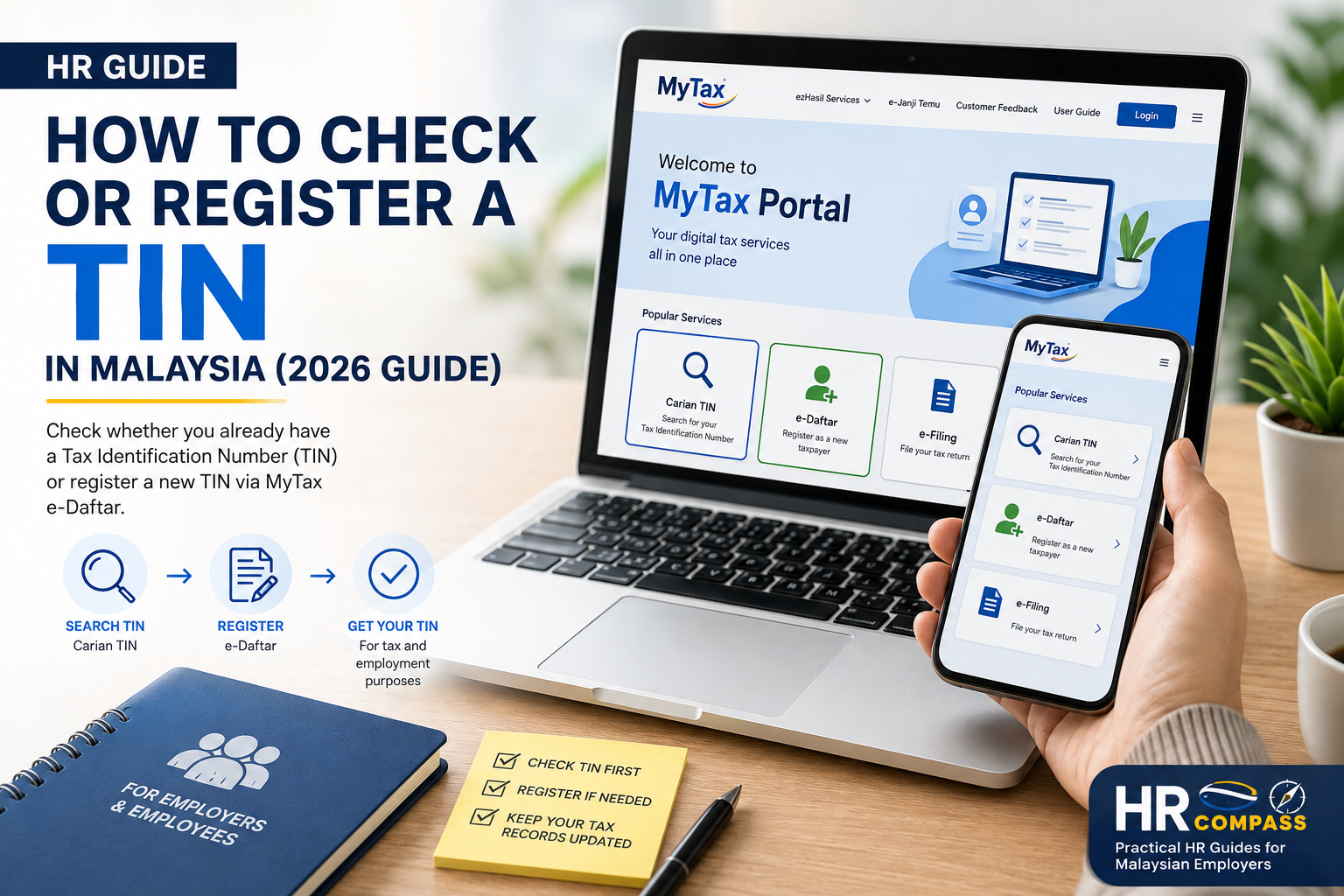
Quick Summary
A Tax Identification Number (TIN) is required for various tax-related matters in Malaysia, including tax filing and payroll records.
Before applying for a new TIN, individuals should first check whether one has already been assigned.
Many Malaysian citizens and Permanent Residents may already have a TIN, as LHDN automatically registers eligible individuals aged 18 and above using information received from the National Registration Department (JPN).
If no TIN is found, a new TIN can be registered online through e-Daftar in the MyTax Portal.
At a Glance
| Situation | What to Do |
|---|---|
| Unsure whether you already have a TIN | Perform a Carian TIN search via MyTax |
| TIN already exists | Use the existing TIN |
| No TIN found | Register through e-Daftar |
| Need help | Contact LHDN or visit the nearest HASiL office |
What is a Tax Identification Number (TIN)?
A Tax Identification Number (TIN) is a unique number issued by the Inland Revenue Board of Malaysia (LHDN) to identify taxpayers.
A TIN may be required for:
- Income tax registration
- Income tax filing
- Payroll and employment records
- Other tax-related transactions with LHDN
Step 1 — Check Whether You Already Have a TIN
Before registering for a new TIN, always check whether one already exists.
How to check
- Visit the MyTax Portal
- Select Carian TIN
- Enter your identification details, such as:
- MyKad
- MyPR
- MyKAS
- Passport (where applicable)
- Submit your search.
If a TIN is found, simply use the existing TIN.
Do not register another TIN.
Step 2 — Register a New TIN
If no TIN is found during the search:
- Visit the MyTax Portal
- Select e-Daftar
- Choose Individual
- Complete the required information
- Follow the on-screen instructions
- Submit your application
- Keep the application reference number for future tracking
Step 3 — Check Your Application Status
After submitting your application, you can return to the MyTax Portal to check its status using your application reference number.
Once approved, your TIN can be used for tax filing, payroll records and other tax-related matters.
Automatic TIN Registration
Many people are unaware that LHDN now automatically registers a TIN for eligible Malaysian citizens and Permanent Residents aged 18 years and above, based on information received from the National Registration Department (JPN).
This means you may already have a TIN even if you have never registered one yourself.
For this reason, always perform a Carian TIN search before submitting a new registration.
Latest Update — MyDigital ID
The MyTax Portal now supports MyDigital ID as one of the available login methods for eligible users.
MyDigital ID is Malaysia's official digital identity platform that provides secure access to participating government online services.
It is important to note that:
- MyDigital ID is not a Tax Identification Number (TIN).
- MyDigital ID does not replace your MyKad.
- MyDigital ID is simply a secure way to access online government services, including MyTax.
Using MyDigital ID does not change the process for checking or registering a TIN.
Common Mistakes
Avoid these common mistakes:
❌ Registering a new TIN without checking whether one already exists.
❌ Assuming everyone needs to apply for a new TIN.
❌ Using an incorrect or duplicate TIN in payroll or tax records.
❌ Waiting until tax filing season to check your TIN.
HR Best Practices
HR professionals should:
✔ Ask new employees whether they already have a TIN.
✔ Encourage employees to perform a Carian TIN search first.
✔ Record the correct TIN in the payroll system.
✔ Keep employee tax information updated and accurate.
Official LHDN Resources
| Resource | Purpose |
|---|---|
| MyTax Portal | Carian TIN, e-Daftar and other tax services |
| HASiL Contact Centre | General tax and TIN enquiries |
| HASiL Customer Feedback | Submit online enquiries or requests |
Official Links
MyTax Portal
https://mytax.hasil.gov.my/
HASiL Contact Centre
https://www.hasil.gov.my/hubungi-kami/
HASiL Customer Feedback
https://maklumbalaspelanggan.hasil.gov.my/
Note: Both Carian TIN and e-Daftar are available within the MyTax Portal. Simply access the portal and select the required service from the homepage.
Frequently Asked Questions (FAQ)
Do I need to apply for a new TIN?
Not necessarily.
Many Malaysian citizens and Permanent Residents aged 18 and above may already have a TIN assigned automatically by LHDN.
Always perform a Carian TIN search before registering.
Can I have more than one TIN?
No. Each individual should only have one Tax Identification Numbe
What should I do if I cannot find my TIN?
First, use Carian TIN through the MyTax Portal.
If you still cannot locate your TIN, contact the HASiL Contact Centre or visit the nearest HASiL office for assistance.
Can HR apply for a TIN on behalf of an employee?
Employees should complete their own TIN registration through e-Daftar where required. HR can guide employees through the process and ensure the correct TIN is recorded in the payroll system once it is available.
Key Takeaway
Before registering for a new Tax Identification Number (TIN), always perform a Carian TIN search through the MyTax Portal.
Many Malaysians already have a TIN assigned automatically, so checking first helps avoid duplicate registrations and unnecessary applications.
If no TIN is found, simply register through e-Daftar in the MyTax Portal.
Keeping an accurate TIN ensures smoother tax administration and helps employers maintain accurate payroll and employee records.